The main reason I started building CutSeeker was to simplify organizing my media. You get in a hurry, projects are rushed, and sometimes you just don't have the time to organize the files you've downloaded. Then finding them later becomes a chore too.
I wanted a way to remedy that. That's where CutSeeker came from.
It starts with a pretty ordinary problem. You download something because you need it for the edit you're working on. The immediate job is getting it into the project and making the video work. Sorting out where that file should live for the next project can easily get pushed aside.
The file is still there. But having it somewhere on a drive and being able to find it when you need it are two different things.
The problem keeps growing with the library
Video editing involves a lot of supporting media. Music, sound effects, stock footage, backgrounds, overlays, and other elements all have a place in the work. Those downloads can be useful long after the project they were originally picked for.
But the more you collect, the harder it gets to remember what you have. A filename might make sense when you download it and tell you very little a few months later. An asset might be part of a larger pack, or there might be several versions that look almost the same in a folder.
That was the problem I wanted to work on. Make the media easier to organize so finding it later doesn't turn into another task in the middle of a deadline.
What CutSeeker does today
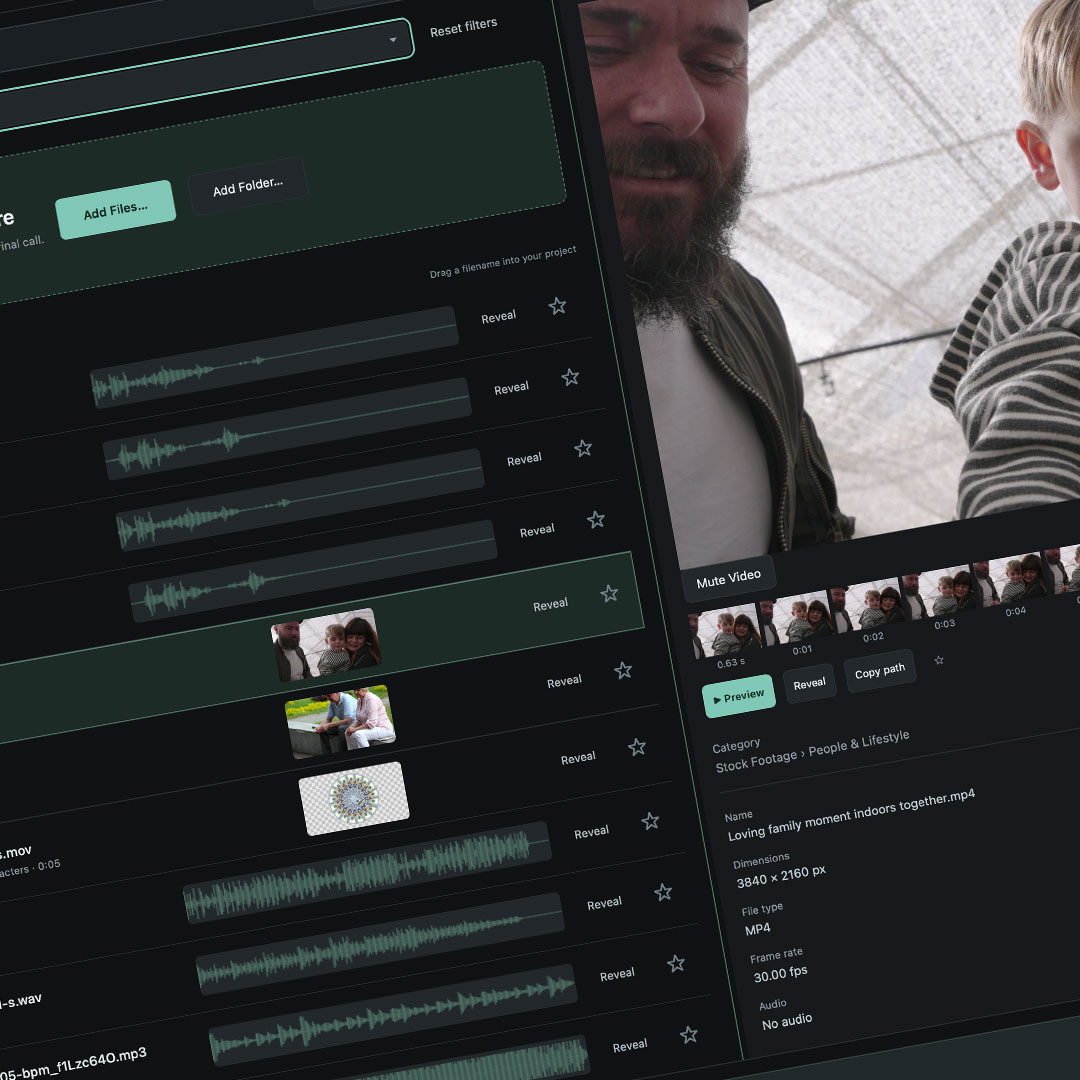
CutSeeker is a local Mac app with SFX, music, and video libraries. It brings search, previews, categories, tags, and file details into a place where you can browse the media and figure out what you're looking at.
For audio, that includes waveforms and playback. For video, there are thumbnails and a preview area. You can inspect an asset, reveal it in Finder, or copy its path when you need to get back to the file.
Search can use names, tags, categories, and recorded original paths. That gives a file more than one way to turn up. Remembering exactly what the supplier called something shouldn't be the only way to find it again.
There is also an organization review process. The app can present proposed names and categories so they can be checked before applying the organization. Suggestions and changes are separate steps, which matters when you're working with media that may already be used elsewhere.
Organizing and finding need to work together
A category gives a file a home, but a single category can't describe everything that makes an asset useful. A clip might show a city, traffic, rain, and people walking. Depending on the project, any one of those details could be the reason you want it.
That's why the search and browsing side belongs with the organization side. Categories help keep the library understandable. Tags and other details give you more ways to find something inside it. Previews let you check whether it actually works for the edit.
They all need to connect. Finding a promising name isn't much help if you have to leave the app and open several other things just to see or hear what it is.
The files still have to work in real projects
Organizing an existing library takes some care. A file can be sitting in an inconvenient folder and still be linked to a working project. Moving or renaming it without thinking about that can create a different problem.
CutSeeker keeps review decisions separate from applying organization. The interface shows what is proposed and what still needs attention, so there is a chance to correct the exceptions before making a change.
That part needs to stay clear as the app develops. Making a library easier to use should include understanding what is happening to the files, not just ending up with nicer folder names.
Still building around the same need
CutSeeker is still in development. There are details to work through in how files come in, how suggestions are reviewed, and how quickly you can get from a search to something useful in the edit.
The reason behind it hasn't changed. I want a simpler way to organize my media and find it again, especially when there isn't much time to spare.
I'll share more of that process here as the app develops. You can also see the kind of editing and motion design work that creates the need for all those assets in the first place.