
A 30-second video isn't always one file. It might need a broadcast version, a vertical social cut, and another version for a different placement. The length can stay the same while the shape and intended use change. Those details need to stay with the edit, not just in a message somewhere.
That fits the reason I started building CUTTKR in the first place. I had a well-organized file system, but I didn't have a good way to keep track of everything surrounding the files. Versions, notes, deadlines, reviews, and the specifics of each project were too much to keep in my head.
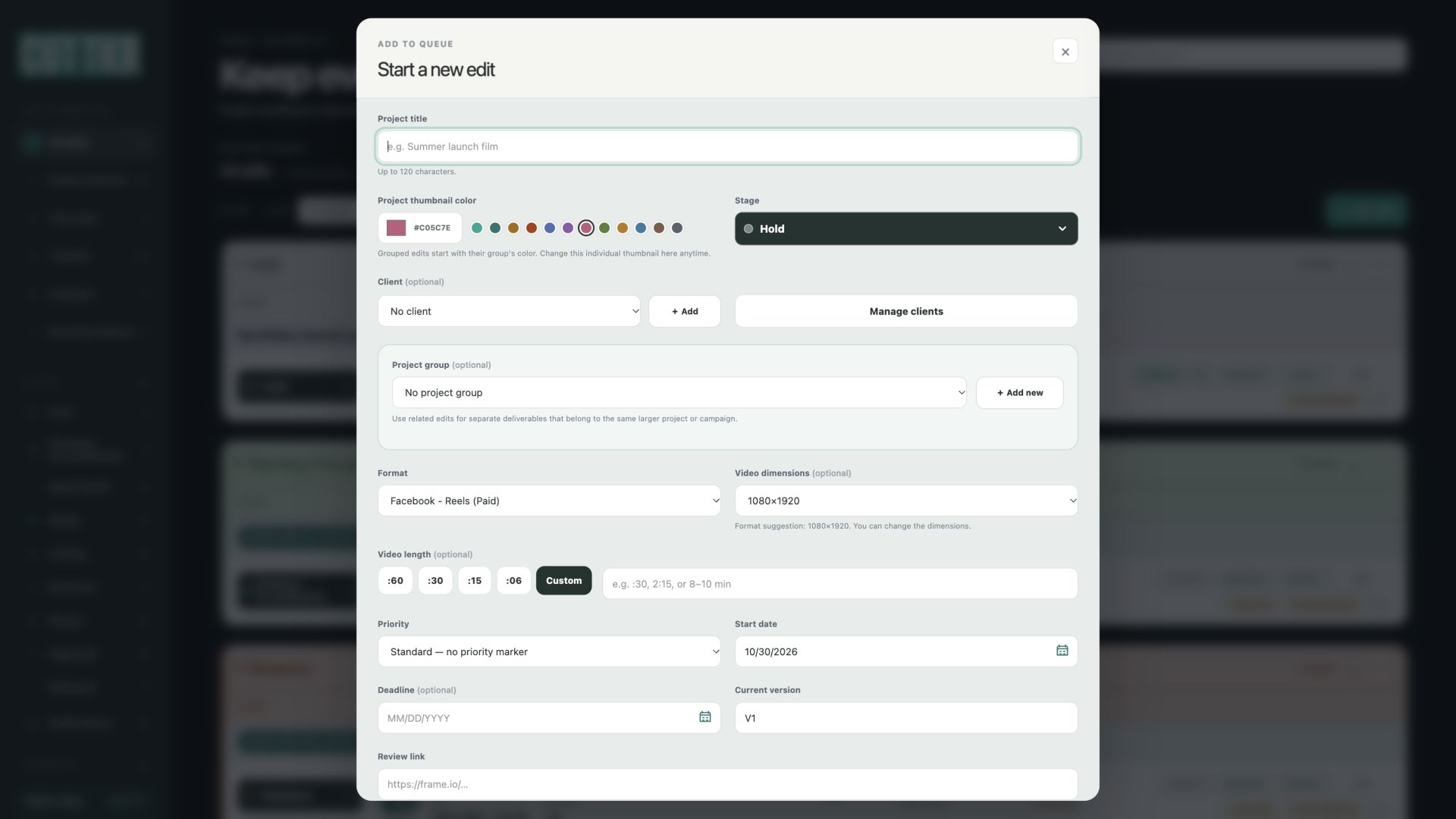
One of the recent changes is connecting Format and Video dimensions. When I choose a format with a suggested size, CUTTKR fills in the dimensions. They're still editable. It's a small part of setting up an edit, but it keeps two related pieces of information together.
The destination means more than the shape
Two videos can have the same dimensions and still be meant for different uses. A vertical organic post and a paid placement might use a similar canvas, but that doesn't make their briefs or delivery requirements identical.
CUTTKR's format choices are grouped by platform, with placement and organic or paid labels where applicable. The format says what the edit is intended for. The dimensions describe its working size. Neither one replaces the other.
The screenshot above shows Facebook Reels (Paid) selected with a 1080×1920 suggestion. It's a development example using fictional data, not a client project. That size is a starting point in the app, not a claim that it's the only accepted size or that every Facebook ad should use it.
A default should still leave room to change it
Choosing a format applies its automatic dimensions. If I deliberately switch to another format, CUTTKR applies that format's default instead. If there isn't an automatic size for the selected format, Video dimensions returns to Not specified. That keeps the previous format's size from quietly carrying over.
I can then change the dimensions manually. Opening an existing edit keeps its saved size, so looking at a project doesn't replace a decision that was already made.
That also means a deliberate format change can replace a manually entered size. If a project needs a custom canvas, check the dimensions after changing its format and before saving it.
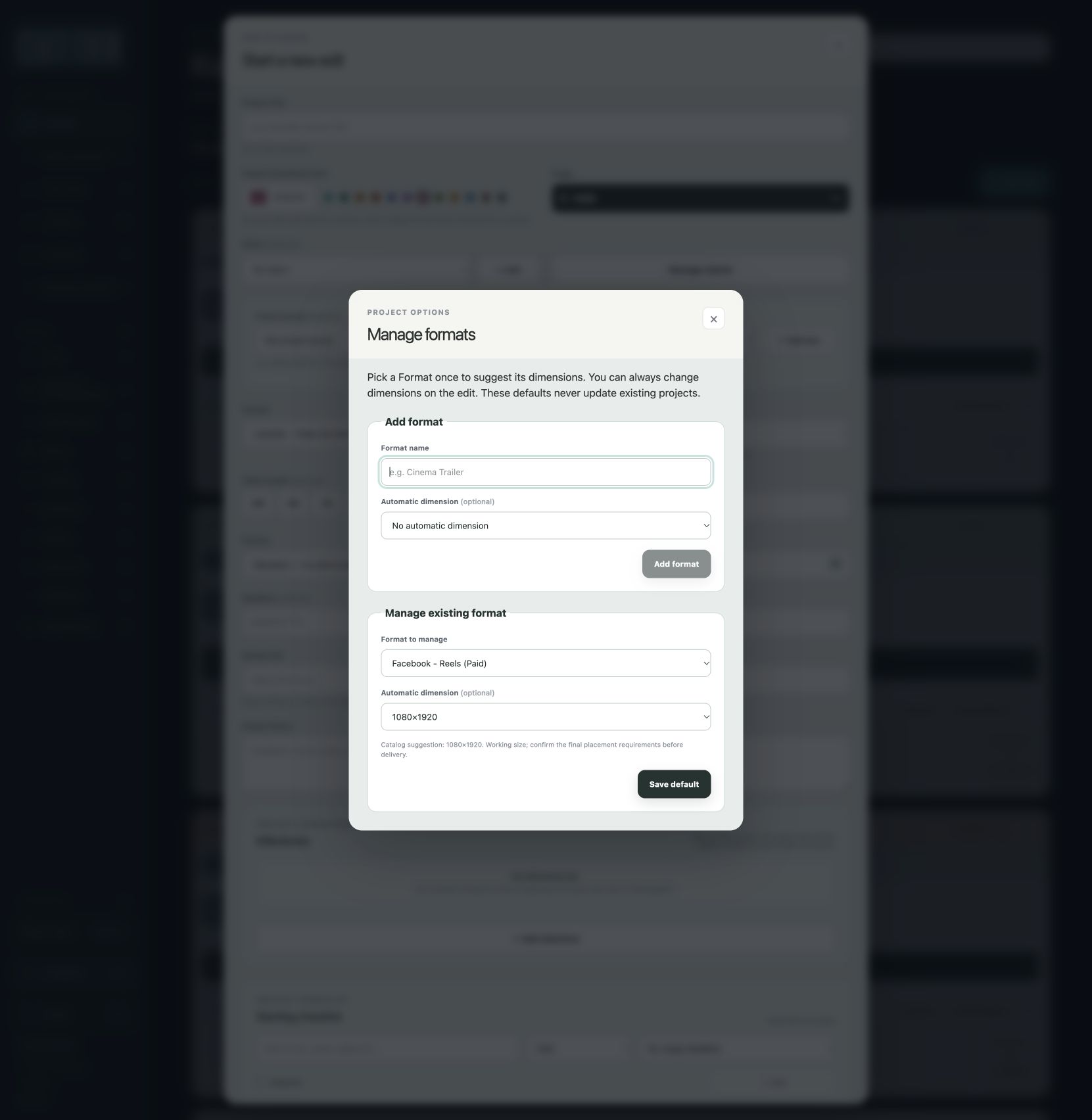
There's also a Manage formats window for setting an automatic dimension, creating a dimension, or choosing no automatic dimension. Custom formats can have their own defaults too. Changing a default doesn't rewrite the sizes on existing projects.
That last part matters. A general preference and a saved project are different things. Changing the starting point for future selections shouldn't change the record of an edit that's already in progress or delivered.
This doesn't replace the delivery specs
The suggestions are working sizes from the catalog supplied for CUTTKR. They aren't a live connection to each platform's latest requirements. A platform name and a pair of numbers don't confirm everything needed for delivery.
The actual brief still needs checking. That could include aspect ratio, duration, file type, frame rate, captions, safe areas, or a broadcaster's specific requirements. Some of those details might change between placements that look similar on the surface.
CUTTKR tracks the intended format and dimensions. It doesn't resize the footage, reframe a composition, export a file, or publish it to a social account. Those are separate parts of the work. The editor still has to make the video fit the destination.
That connection between the creative work and the final requirements runs through the editing and motion design projects on my Work page. The format can affect composition and text placement long before the final export. Keeping it visible early gives that information a place in the project.
Still building around the details
I'm using CUTTKR with real projects while continuing to develop it. As I said when I introduced the app, I'm learning as I go. The original problem was having too many project details to remember. This update addresses one specific part of that problem without turning a suggestion into a locked rule.
CUTTKR is still in private beta. If you want to follow along or are interested in testing it, you can join the waitlist at CUTTKR.com and select that you're interested in beta testing.