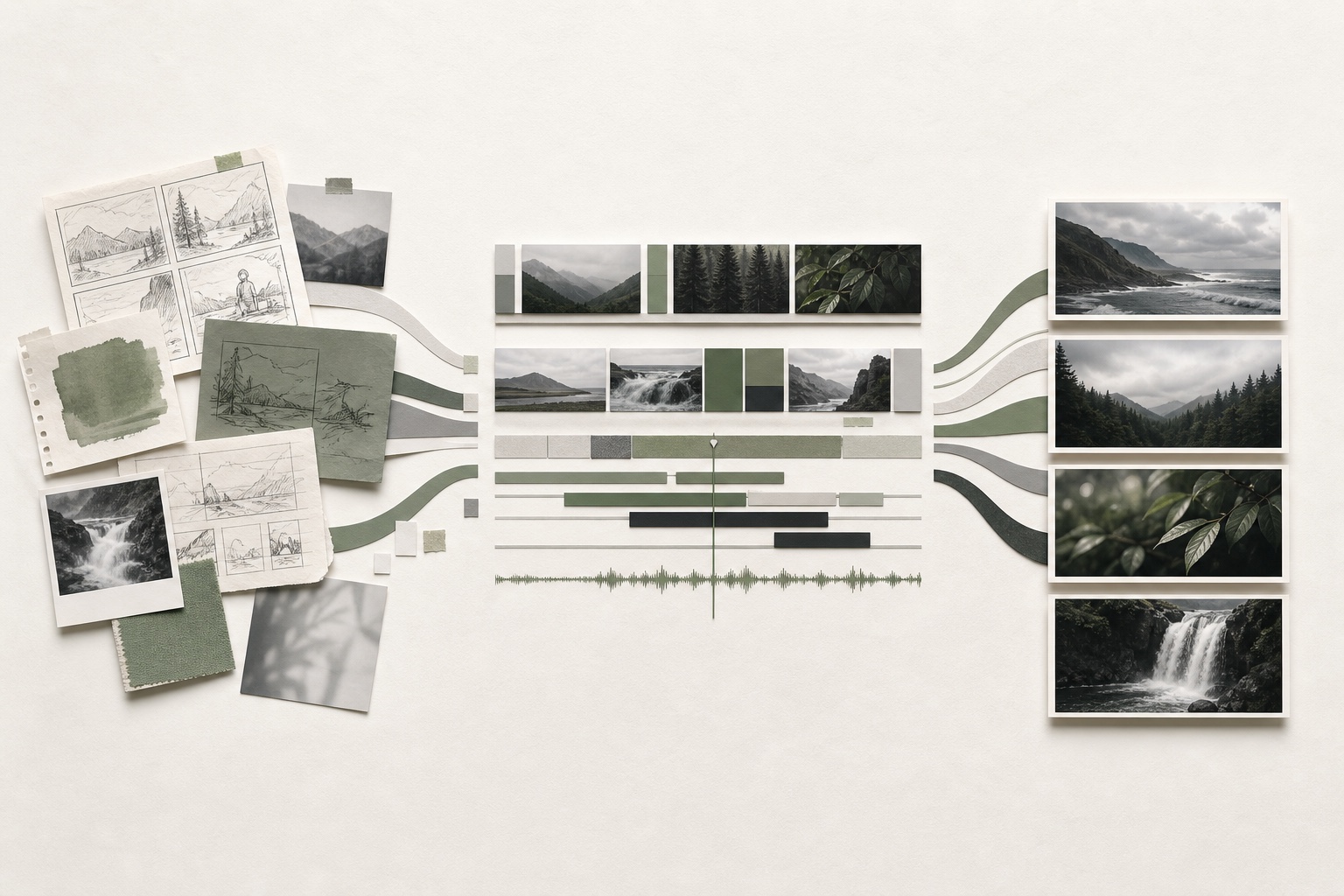
Adobe’s June 2026 Premiere 26.3 release is easy to read as a list of unrelated additions. The more useful reading is the shape of the workflow behind them: fewer manual handoffs between early ideas, the edit, collaboration, social versions, and final delivery.
According to Adobe’s official What’s New overview and release notes, version 26.3 can turn selected Firefly Boards media into an ordered Premiere sequence, create single-word captions, track and restore Object Masks more efficiently, upgrade older Productions faster, license Adobe Stock previews in place, and provide clearer hardware guidance. This article is a practical reading of those documented changes, not a hands-on benchmark.
The biggest shift starts before the timeline
The Firefly Boards connection may be the most revealing part of the release. Selected Board media can arrive in Premiere as a ready-to-edit sequence, arranged in the same order. That does not make an edit, and it does not decide whether the story works. It removes a small but real layer of clerical rebuilding between concept development and editorial.
For a workflow that moves from concepts, scripts, and storyboards through post-production, that connection matters. A rough visual plan can become an assembly without exporting, renaming, importing, and reordering every element by hand. The editor still has to find the rhythm, replace temporary material, and make the creative decisions. The value is continuity, not automation for its own sake.
The quiet improvements may save the most time
Several updates are not especially dramatic in a feature demo, but they address the friction that slows down professional work. Adobe says Object Mask tracking is faster and that mask data can now rebuild automatically when a project moves between systems. Workspace switching is faster. Editors can control whether Premiere automatically creates tracks when media is edited into a sequence. Older Productions should also open and upgrade more quickly, with lower memory use.
The best workflow update is often the one that prevents an interruption nobody should have needed to solve.
These improvements will not replace good organization. They can, however, make a well-organized project more portable and predictable. That is especially important when a job moves between an editor, motion designer, audio pass, finishing station, or another machine under a deadline.
Versioning is becoming part of the main edit
Premiere 26.3 also adds single-word animated captions that can be styled and exported as they appear in the preview. For teams producing vertical edits, cutdowns, and social variations, this brings a common finishing task closer to the timeline instead of treating it as a separate workaround.
The same pattern appears in the updated Stock workflow. Adobe says preview assets can be licensed from the Project panel, and every timeline instance is then replaced with the licensed version. Again, the creative decision remains with the editor: which image belongs, whether the caption treatment helps the message, and how the version fits the platform. The software is reducing replacement work around those decisions.
Production readiness still matters more than novelty
The release expands camera support as well. Premiere now supports additional Sony BURANO V3 X-OCN resolutions and Cinema RAW Light from several Canon cameras. Improved GPU detection is intended to reduce unexpected software-rendering fallbacks, while new alerts identify unsupported hardware and operating systems. Adobe also warns that Windows 10 support will be removed in a future release.
Those notes deserve as much attention as the visible features. A new transition is optional. Reliable decoding, project upgrades, GPU acceleration, and predictable exports affect whether a production can finish on schedule.
A sensible way to evaluate the update
No active production should move to a new version simply because the feature list sounds useful. A duplicate project is the right place to test project upgrades, third-party plugins, Dynamic Link, Motion Graphics templates, captions, color, audio routing, and the exact delivery presets a team depends on. Adobe’s release notes include a substantial list of fixes, but a fix on one system does not guarantee every existing workflow is ready.
The practical takeaway is that Premiere is becoming more connected across the full production path. The strongest parts of 26.3 are not trying to make taste automatic. They are trying to keep material, intent, and project data moving with fewer interruptions. That is a more useful direction than another tool that simply promises to make everything “instant.”
If you need senior creative support that carries a project from early development through editing, motion design, sound, versions, and final delivery, let’s talk about the full workflow.