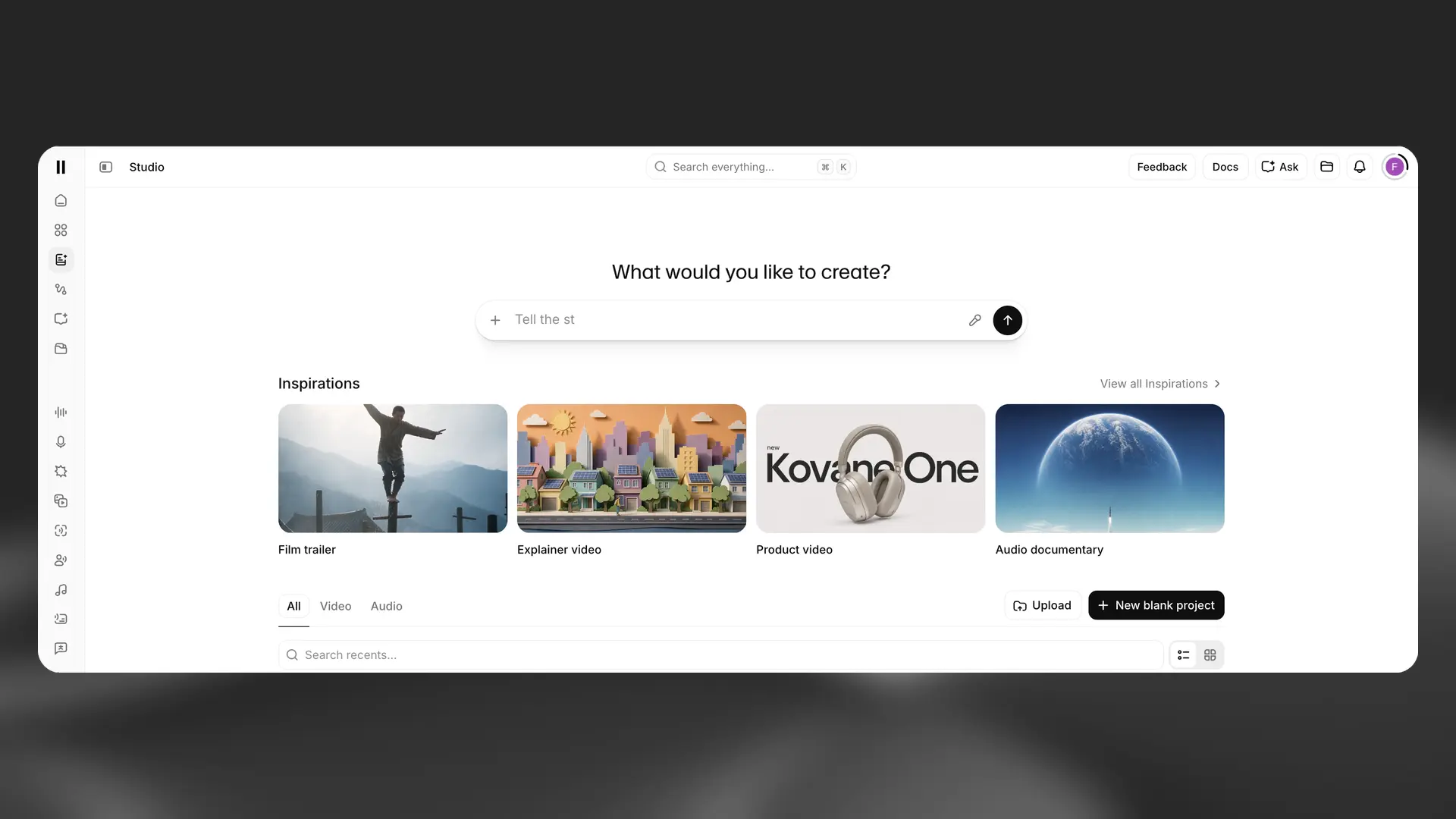
ElevenLabs released Studio 4.0 on September 21, turning its ElevenCreative workspace into a much more complete video and audio editor. The company is bringing generated video, images, voiceover, music, sound effects, captions, collaboration, and export into the same browser-based project.
The headline sounds familiar because every major creative platform is trying to reduce the distance between generating something and editing it. Adobe is bringing generation into Premiere. ElevenLabs is moving in the other direction, building a timeline around the voice, music, and sound tools it already has.
That difference is what makes Studio 4.0 worth watching.
What Studio 4.0 actually does
A new project can begin with a prompt, an uploaded file, an example, or a blank timeline. Studio Agent can ask about length, tone, structure, and transitions, then create a first draft with clips, voiceover, sound effects, and captions already placed.
The timeline supports multiple tracks, frame-level zoom, snapping, synchronized clips, editable captions, and different aspect ratios for widescreen, vertical, portrait, and square delivery. A shared library can hold generated or uploaded video, images, speech, music, and sound effects. Projects can also be shared for timestamped feedback.
ElevenLabs says the agent analyzes clips frame by frame. That allows requests such as adding a sound effect when a product appears, instead of asking the user to find the moment and place the effect manually.
The audio side may be the real advantage
Most AI video tools started with pictures and movement, then added audio later. ElevenLabs built its name around voice. Studio 4.0 puts that voice system beside music, sound effects, captions, and generated visuals from the start.
That matters because a video can look finished while still feeling unfinished. Voice pacing, music structure, sound effects, ambience, and the timing between them carry a large part of the edit. If those pieces can be generated and adjusted in the same timeline, the tool may be useful for more than making isolated clips.
The Script panel keeps narration connected to its voice and pronunciation settings. Captions can be corrected and styled inside the project. Music and sound effects live on separate tracks where they can be trimmed, moved, duplicated, and adjusted. Those are basic editing needs, but putting them beside the generation tools reduces the amount of exporting, uploading, and rebuilding that usually happens between apps.
The agent can plan before it changes the timeline
One of the better ideas in the documentation is the split between Plan and Create modes. Plan mode lets Studio Agent analyze footage, transcribe speech, search assets, draft a script, outline a scene plan, and calculate gaps without changing the edit. Create mode gives it permission to place clips, generate media, add text, and adjust audio.
That separation makes sense. An editor should be able to see the proposed approach before an agent starts changing the timeline. Manual control is also available at any point, and the agent can continue after those changes.
The real test will be whether that handoff stays clear as projects get more complicated. A first cut is useful only if the editor can understand what the system did, change it quickly, and keep control of the structure.
This is not the same thing as a professional finishing workflow
Studio 4.0 is aimed at creators and marketers making social clips, product videos, explainers, trailers, and other projects built from generated or uploaded assets. That is a real use case, but it is different from replacing Premiere, After Effects, Resolve, or a full broadcast post-production pipeline.
The official material focuses on a web editor, self-contained projects, and rendered exports. It does not present Studio as an interchange tool for moving a complex timeline into another editing system. Studio Agent is currently available in the web app, not through the API.
Cost and usage also need attention. Agent chat uses credits, while speech, images, music, sound effects, and video generation are charged separately at their normal rates. Commercial usage rights depend on the subscription plan. Free video exports include a watermark, while paid plans remove it.
That does not make the tool less useful. It just means the workflow and the budget need to be understood before building a real client project around it.
Where I think it fits right now
Studio 4.0 looks best suited to fast first drafts, narrated explainers, social content, product teasers, storyboards, and smaller projects where generated voice, music, sound, and visuals all need to develop together.
For professional editors, it may also be useful as a development space. A rough script, temporary voiceover, sample music, placeholder visuals, and captions could all be tested before the project moves into a deeper editorial and finishing workflow.
The bigger signal is that generation is becoming part of the timeline instead of a separate step. That can save time, but it also puts more responsibility on the editor. Someone still has to decide what belongs, what matches the message, what can be used commercially, and whether the finished video is actually ready to deliver.
If you need experienced editing, motion design, sound, versions, and finishing after the generated material is created, you can see more of my post-production work or reach out about a project.