The more I use CUTTKR with real editing projects, the more I see that organization has to begin before I open Premiere and make the first cut. A clean folder structure still matters. Good filenames still matter. But neither one tells me what needs my attention right now.
That distinction became clearer as I built the workflow for adding a new project. The goal was not simply to create another place to enter a project name. I wanted the setup process to capture the handful of details that let an editor understand the work immediately: the client, the edit, its current stage, its priority, the deadline, the active version, and the tasks required to get moving.
A project is easier to manage when its status is visible before the timeline gets complicated.
The first screen should answer editorial questions
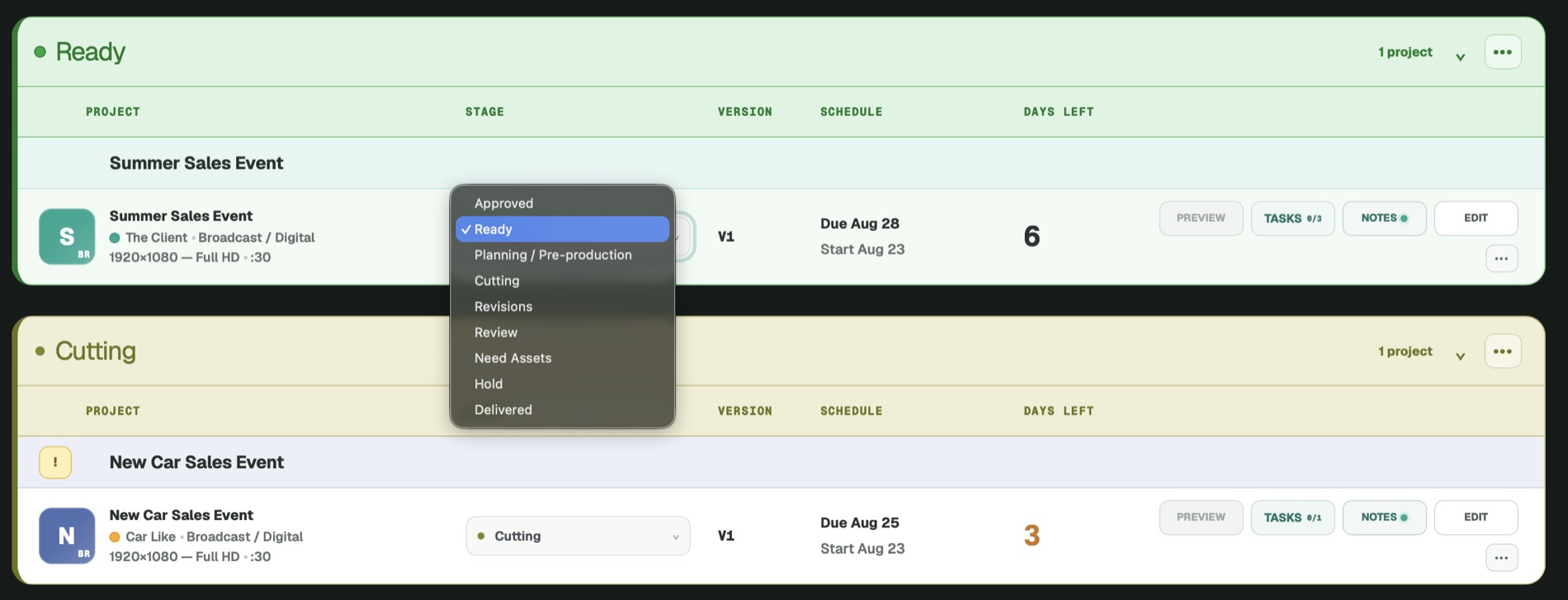
Traditional project-management software often starts with broad categories that can apply to almost any kind of work. Video editing is more specific. An editor needs to know: Is this ready to cut? Am I actively working on it? Is it out for review? Did revisions come back? Has it been approved? Is every final file delivered?
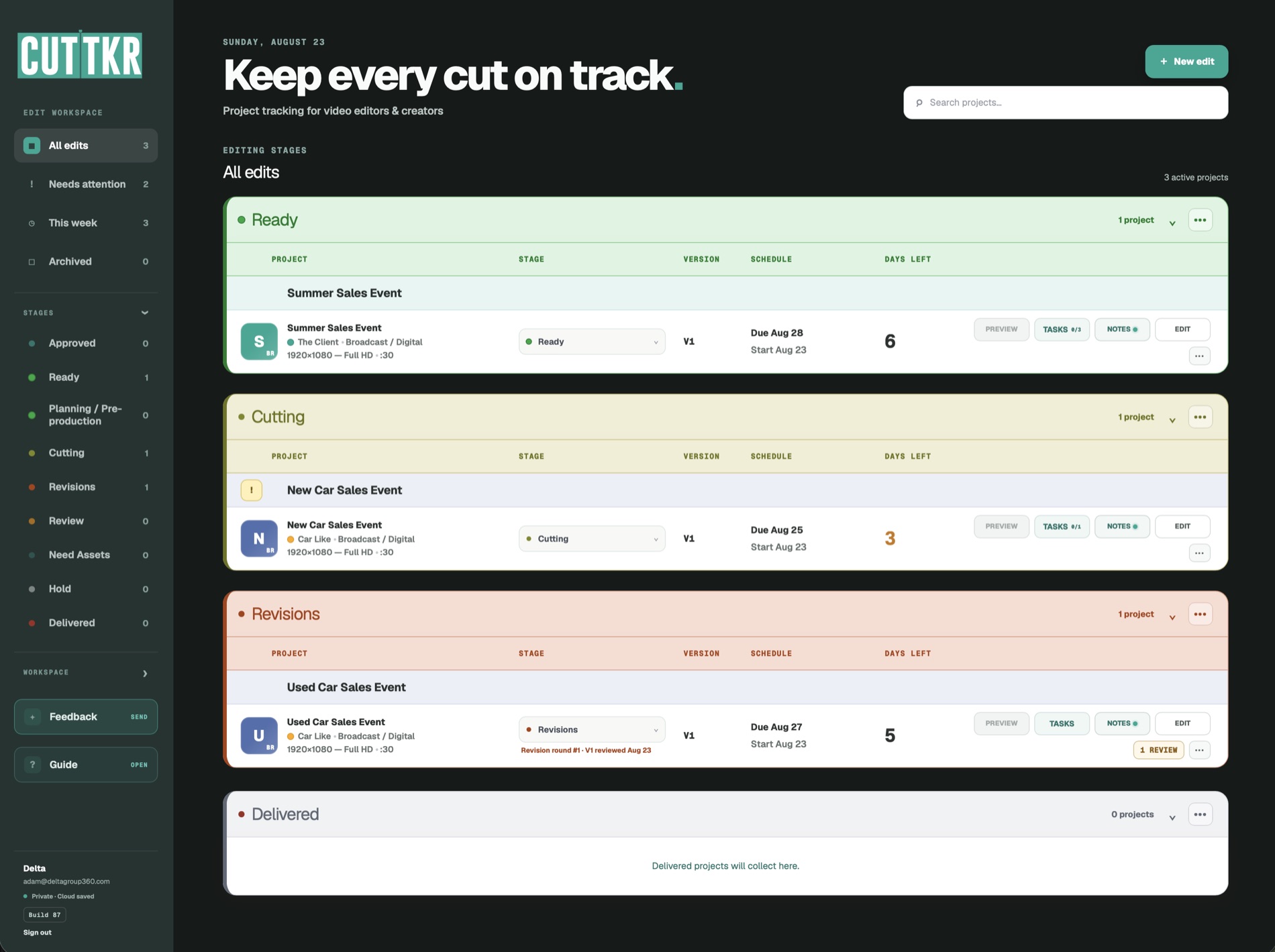
Those are not minor labels. They describe the actual movement of an edit. That is why CUTTKR organizes projects around familiar stages such as Ready, Cutting, Review, Revisions, Approved, and Delivered. When every active job is visible in that language, I do not have to translate a generic status into what it means for post-production.
The stage also provides context for everything around it. A project in Review may not require action today, even if it has a close deadline. A project in Revisions may need immediate attention because feedback has already returned. A delivered project should stop competing visually with active work while remaining easy to reference later.
Priority and deadline are different signals
A deadline tells me when something is due. Priority tells me how it should compete with the other projects on my plate. Those two details are related, but they are not interchangeable.
An edit due later may need to start first because it requires more work, more review rounds, or several deliverables. Another project may be due sooner but already be waiting on feedback. Seeing priority beside the deadline helps me make a better decision about what to open next instead of defaulting to whichever message arrived most recently.
Version belongs in the project overview
Versions are where an organized drive and an organized workflow can easily separate. A folder may contain clearly named exports, but I still need to know which version is current, what was sent for review, and what changed after that review.
I wanted version information to be part of the project from the beginning, not something reconstructed later from filenames and messages. CUTTKR lets me assign the current version when I set up the edit and keep that context visible as the project moves. If the job needs another cut, I can duplicate the edit and build from the existing project information instead of starting over.
Starting tasks turn intake into momentum
Every project arrives differently. Sometimes the first task is organizing footage. Sometimes it is confirming a voiceover, collecting brand assets, building a rough string-out, or preparing a review link. If those first actions live only in my head, the project may technically exist in the system without being ready to move.
Adding starting tasks during setup forces me to translate the project into actual next steps. It also makes it easier to return to a job after switching between edits. Instead of rereading messages and remembering where I left off, I can see the next useful action.
Less project management, more editorial clarity
That is the larger idea behind CUTTKR. I am not trying to make editing feel like administrative work. I am trying to reduce the administrative weight that surrounds editing.
The system should hold the details that interrupt creative focus: status, deadlines, versions, notes, tasks, reviews, revisions, and delivery. When those details are visible and connected, I have more room to concentrate on story, pacing, sound, motion, and the decisions that actually shape the finished piece.
I recently shared a quick walkthrough of this project-setup flow on LinkedIn. There is still plenty I want to refine, and using it on real work keeps showing me where the workflow can become clearer. That is exactly why I wanted to build it this way: not around an abstract idea of project management, but around what an editor needs before, during, and after every cut.
You can learn more and join the private-beta waitlist at CUTTKR.com, or see the kind of editing and motion-design work that shaped the product.