A lot of what I am adding to CUTTKR starts with a small interruption in my own work. This time it was review feedback. When several edits are moving at once, I do not want to keep opening Frame.io links just to find out whether a client or team member left new comments.
The notes already have a good home. Frame.io is built for watching a cut, leaving time-specific feedback, and carrying the conversation around a review. I was not trying to replace that. I needed CUTTKR to answer a simpler question from the project list: Which edit has something new waiting for me?
The review tool can hold the conversation. The project tracker should tell me when that conversation needs my attention.
The problem was not missing feedback
The feedback existed. The friction came from having to go looking for it. A project could appear to be sitting in Review while new notes were already waiting inside its Frame.io link. Unless I remembered to check, the real status of the edit was not visible where I was planning my work.
That becomes more noticeable when deadlines overlap. A new comment can change what I should work on next, but only if I know it arrived.
A small alert can change the next decision
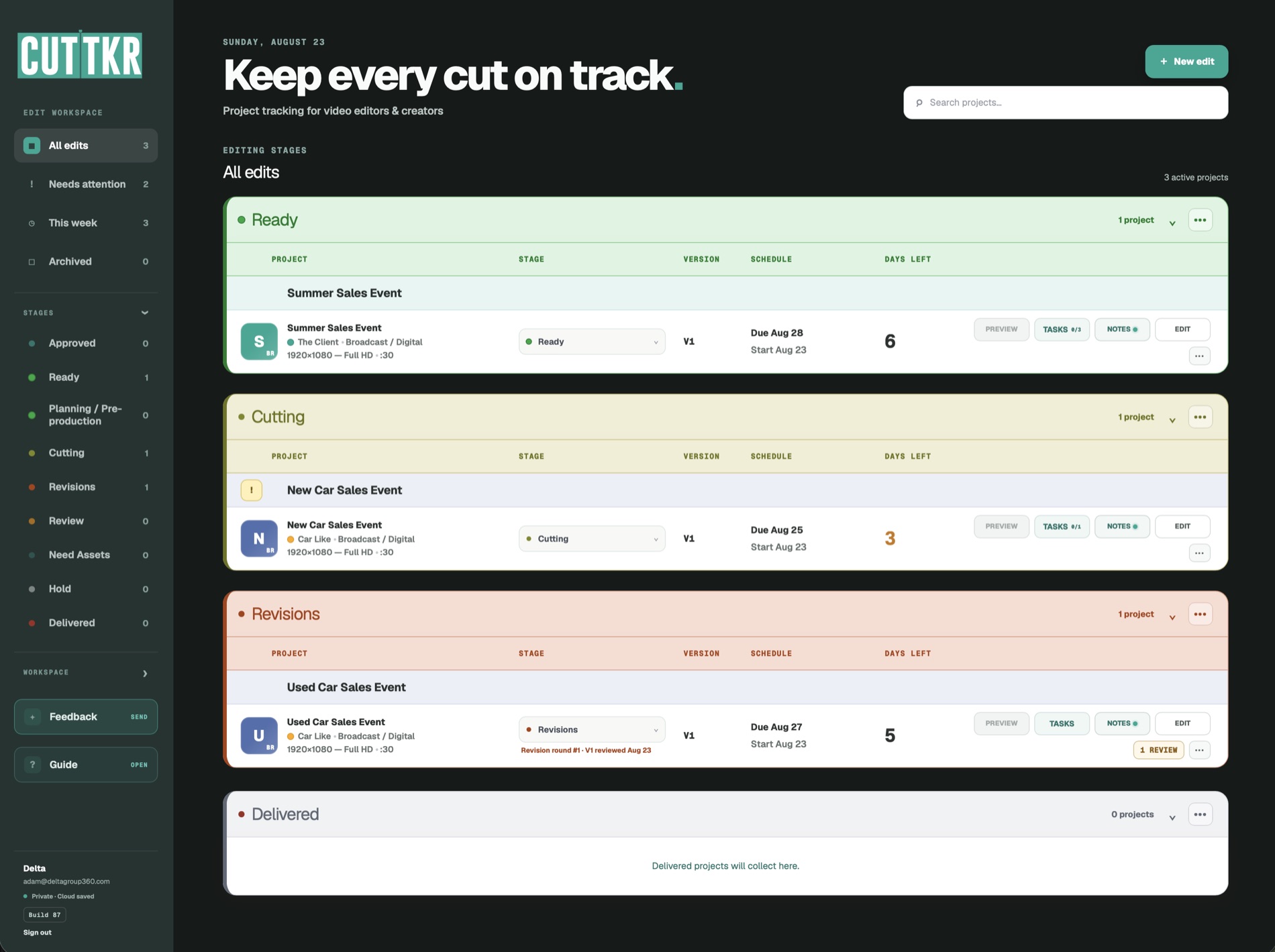
I added an alert in the CUTTKR project list that shows when an edit has new Frame.io comments. It is a small visual signal, but it removes a repeated step. I can look across the active workload and see which review needs attention before I start opening links.
The feature does not read the note for me, decide whether the feedback is clear, or make the revision. It simply moves the signal closer to the place where I decide what to do next. That is the kind of automation I find useful: not a system trying to replace judgment, but one that reduces the chance that an important detail disappears between tools.
Connected does not have to mean duplicated
One lesson I keep learning while building CUTTKR is that a focused tool does not need to recreate every feature around it. Frame.io already handles review and comments. Premiere and After Effects handle the creative work. The file system holds the media and project files. CUTTKR should connect the information I need to manage the edit without becoming another oversized platform that tries to do everything.
The useful information is not a second copy of the review thread. It is the presence of new feedback and the edit it belongs to. The overview stays readable while pointing me toward the detailed conversation.
Visibility is part of editorial workflow
Editors spend a lot of time translating between different kinds of status. “Sent” means the file left my system. “In review” means someone should be watching it. “Notes received” means the edit is ready to move again. Those sound like simple labels, but they determine whether a project is waiting on someone else or waiting on me.
If that difference lives only in email, a chat message, a browser tab, or my memory, the project board is already behind. The new alert helps CUTTKR reflect what is actually happening instead of showing a stage that may no longer tell the complete story.
Real projects keep exposing the right features
I did not begin CUTTKR with a finished feature list. I started with the problems that became obvious during a busy editing season, when essential details were spread across too many places.
Using the app on real projects keeps revealing the next layer. The Timeline view came from needing to see where projects overlap and how long work has spent in each stage. This alert came from not wanting to repeatedly open review links to check whether anything changed. Beta users are also helping me see which parts feel useful, which parts need clarification, and where the workflow can become faster.
CUTTKR is not meant to describe an idealized workflow. It should support the messy version, when deadlines move, another cut is added, feedback arrives late, and the editor still has to know where everything stands.
The goal is less remembering
I still need to interpret the feedback, talk through anything unclear, and make the creative decisions. What I do not need is another fact to hold in my head: Check every Frame.io link in case something new appeared.
The more of that status CUTTKR can carry clearly, the more attention I can keep on the work itself. That is the larger idea behind this feature and the product as a whole: let the system remember where the project stands so the editor can focus on making the next cut better.
I recently shared the update through my LinkedIn activity. CUTTKR is still in private beta, and I am looking for more editors to use it on real projects and tell me what works, what is annoying, and what should change. You can learn more and join the waitlist at CUTTKR.com, or see the editing and motion-design work that shaped the workflow.